Hyper-scalable multi-OS solution for the whole school network.
Full Traffic Decryption
Decrypt traffic for comprehensive visibility and transparent inspection.
AI Adaptive Filtering
Offload the responsibility of managing and maintaining the content filtering system.
Unlimited Bandwidth
Unlimited data transfer speed and easier server access.
Hyper-scalable
Hyper-scalable multi-OS solution for the whole school network
Full Traffic Decryption
Decrypt traffic for comprehensive visibility and transparent inspection
AI Adaptive Filtering
Offload the responsibility of managing and maintaining the content filtering system
Unlimited Bandwidth
Unlimited data transfer speed and easier server access
More Than 500 School Districts Worldwide Trust Blocksi to Manage a Range of Student Devices for an Engaged and Safe Learning Experience
Bob Krieger, Director of Technology
Christ Episcopal School — via G2
Blocksi's Chromebook integration is awesome — it makes deploying to our Chrome fleet straightforward. We've had issues with content filtering and student safety monitoring, and Blocksi handles both very well.
Technology Coordinator
Mississippi school district — via G2
Blocksi blocks inappropriate sites and keeps web use safe for our students. The problem we had was that students would visit inappropriate websites, and Blocksi solves this by blocking them. At one point a student searched for information about suicide. Blocksi caught this and informed administration, and we were able to reach out to the parents.
Thomas Wimbish, Director of Technology
Teays Valley Local School District — via G2
For us, the cost-to-feature ratio strikes a perfect balance. Blocksi addresses the need for student internet filtering on Chromebooks, while giving teachers insights into browsing history and the ability to monitor and manage student devices during class.
Edward Watts, IT Manager/DDSL
St Michael's School — via G2
Five years in, Blocksi remains the best Chromebook filtering solution we've found. What we like best is the Google Workspace integration, YouTube filtering, and automated safeguarding alerts. Deployed via Google Admin Console as a force-installed extension — students can't remove it from the device or their account — so filtering is always enforced without relying on students leaving it in place. Blocksi keeps students safe online across a 1:1 Chromebook deployment, with safeguarding visibility that meets our statutory obligations.
Shane Presley, Technology Director
Chickasaw County School District — via G2
Blocksi's customer service has been amazing — always ready to help no matter what. Blocksi is much better at finding and blocking new sites than our old solution.
Director of Educational Technology Services
international school in Taiwan — via G2
Blocksi offers some of the most competitive pricing in the industry for this feature set. Their support team is exceptional — tickets receive immediate feedback, and scheduling dedicated training sessions for our tech coaching team has been completely frictionless.
Chris Gutermuth, Instructional Tech Supervisor
Sycamore Community Schools
From the beginning, Blocksi has been a vital tool for content filtering and classroom monitoring. We love seeing how Blocksi continues to improve against student workarounds.
Tara Poolson, Technology Integration Specialist
Pearl River County School District
We absolutely love Blocksi. On my end, running the filter is easy and intuitive — I don’t have to think much about it. I’m able to change everything I need to change instantly. It lets me drill down to individual students — all the things we really need. On the teacher side, they absolutely love it too — they love the AI Quiz Generator, and they love how easy it is for them to create their Block and Allow lists and all of that.
Don Sutton, Director of Technology
Wilmington City Schools
Blocksi's ability to filter inappropriate content, monitor student activities, and manage access to various online resources aligns perfectly with our goal of creating a safe, controlled, and conducive digital learning environment.
Nehemiah Smith, Information Technology Technician
Tehachapi Unified School District
Blocksi is great! We love that you allow custom policies for specific students and groups. Our admins also appreciate the penalty box feature.
Kristen Pate, Director of Technology
Morris Jeff Community School
I've been using Blocksi for about 3 years now, and it has been a game changer for our school. We love the analytics and the ability to easily block inappropriate content, making sure students only access safe online content. It empowers teachers to take control of their classrooms — managing what students need to see during class time and eliminating distractions. Thank you, Blocksi. You've changed our life and work.
Bob Krieger, Director of Technology
Christ Episcopal School — via G2
Blocksi's Chromebook integration is awesome — it makes deploying to our Chrome fleet straightforward. We've had issues with content filtering and student safety monitoring, and Blocksi handles both very well.
Technology Coordinator
Mississippi school district — via G2
Blocksi blocks inappropriate sites and keeps web use safe for our students. The problem we had was that students would visit inappropriate websites, and Blocksi solves this by blocking them. At one point a student searched for information about suicide. Blocksi caught this and informed administration, and we were able to reach out to the parents.
Thomas Wimbish, Director of Technology
Teays Valley Local School District — via G2
For us, the cost-to-feature ratio strikes a perfect balance. Blocksi addresses the need for student internet filtering on Chromebooks, while giving teachers insights into browsing history and the ability to monitor and manage student devices during class.
Edward Watts, IT Manager/DDSL
St Michael's School — via G2
Five years in, Blocksi remains the best Chromebook filtering solution we've found. What we like best is the Google Workspace integration, YouTube filtering, and automated safeguarding alerts. Deployed via Google Admin Console as a force-installed extension — students can't remove it from the device or their account — so filtering is always enforced without relying on students leaving it in place. Blocksi keeps students safe online across a 1:1 Chromebook deployment, with safeguarding visibility that meets our statutory obligations.
Shane Presley, Technology Director
Chickasaw County School District — via G2
Blocksi's customer service has been amazing — always ready to help no matter what. Blocksi is much better at finding and blocking new sites than our old solution.
Director of Educational Technology Services
international school in Taiwan — via G2
Blocksi offers some of the most competitive pricing in the industry for this feature set. Their support team is exceptional — tickets receive immediate feedback, and scheduling dedicated training sessions for our tech coaching team has been completely frictionless.
Chris Gutermuth, Instructional Tech Supervisor
Sycamore Community Schools
From the beginning, Blocksi has been a vital tool for content filtering and classroom monitoring. We love seeing how Blocksi continues to improve against student workarounds.
Tara Poolson, Technology Integration Specialist
Pearl River County School District
We absolutely love Blocksi. On my end, running the filter is easy and intuitive — I don’t have to think much about it. I’m able to change everything I need to change instantly. It lets me drill down to individual students — all the things we really need. On the teacher side, they absolutely love it too — they love the AI Quiz Generator, and they love how easy it is for them to create their Block and Allow lists and all of that.
Don Sutton, Director of Technology
Wilmington City Schools
Blocksi's ability to filter inappropriate content, monitor student activities, and manage access to various online resources aligns perfectly with our goal of creating a safe, controlled, and conducive digital learning environment.
Nehemiah Smith, Information Technology Technician
Tehachapi Unified School District
Blocksi is great! We love that you allow custom policies for specific students and groups. Our admins also appreciate the penalty box feature.
Kristen Pate, Director of Technology
Morris Jeff Community School
I've been using Blocksi for about 3 years now, and it has been a game changer for our school. We love the analytics and the ability to easily block inappropriate content, making sure students only access safe online content. It empowers teachers to take control of their classrooms — managing what students need to see during class time and eliminating distractions. Thank you, Blocksi. You've changed our life and work.
10+
Years of Content Filtering
5M+
Users
12K+
Schools Using Our Products
Going beyond browser-level filtering
Web Content Filtering for 21st Century School Districts
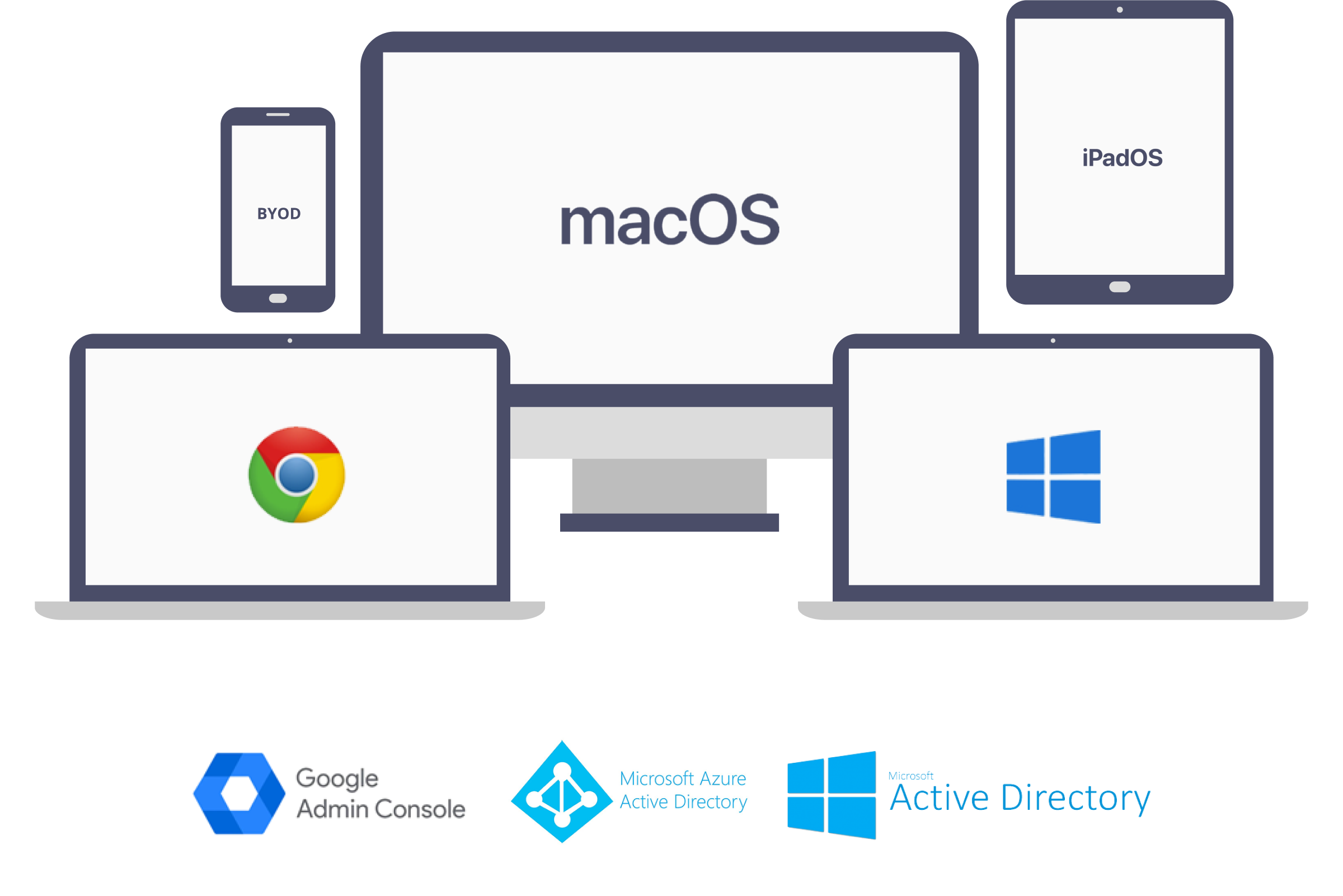
Seamless integration and MSI agent support for Chromebooks (Chrome OS), Windows OS, MacOS, iOS and with Google Admin console, Azure AD, and LDAP Active Directory
Content filtering through agents operating at the operating system level, not limited to the browser level
Enforce policies based on LDAP or Azure OU for various users or even on unmanaged BYOD devices
Establish a Secure, Central Hub With Unlimited Bandwidth
Employ a highly scalable triple cloud infrastructure (AWS, Google Cloud, Bare Metal Servers) for undisturbed integration, distribution, and resilience to optimize school performance with Blocksi’s pure cloud-based filtering. Ensure a robust 99.9% service uptime with seamless cluster technology.
High Scalability and Granular Filtering
Accommodate expanded workloads and growing network demands effectively. Apply precise filtering measures against a massive database of websites.
Complete SSL/TLS Transparency and Visibility
Gain full visibility into all network traffic, including individual URLs. Monitor and control encrypted connections to ensure a safe online environment.
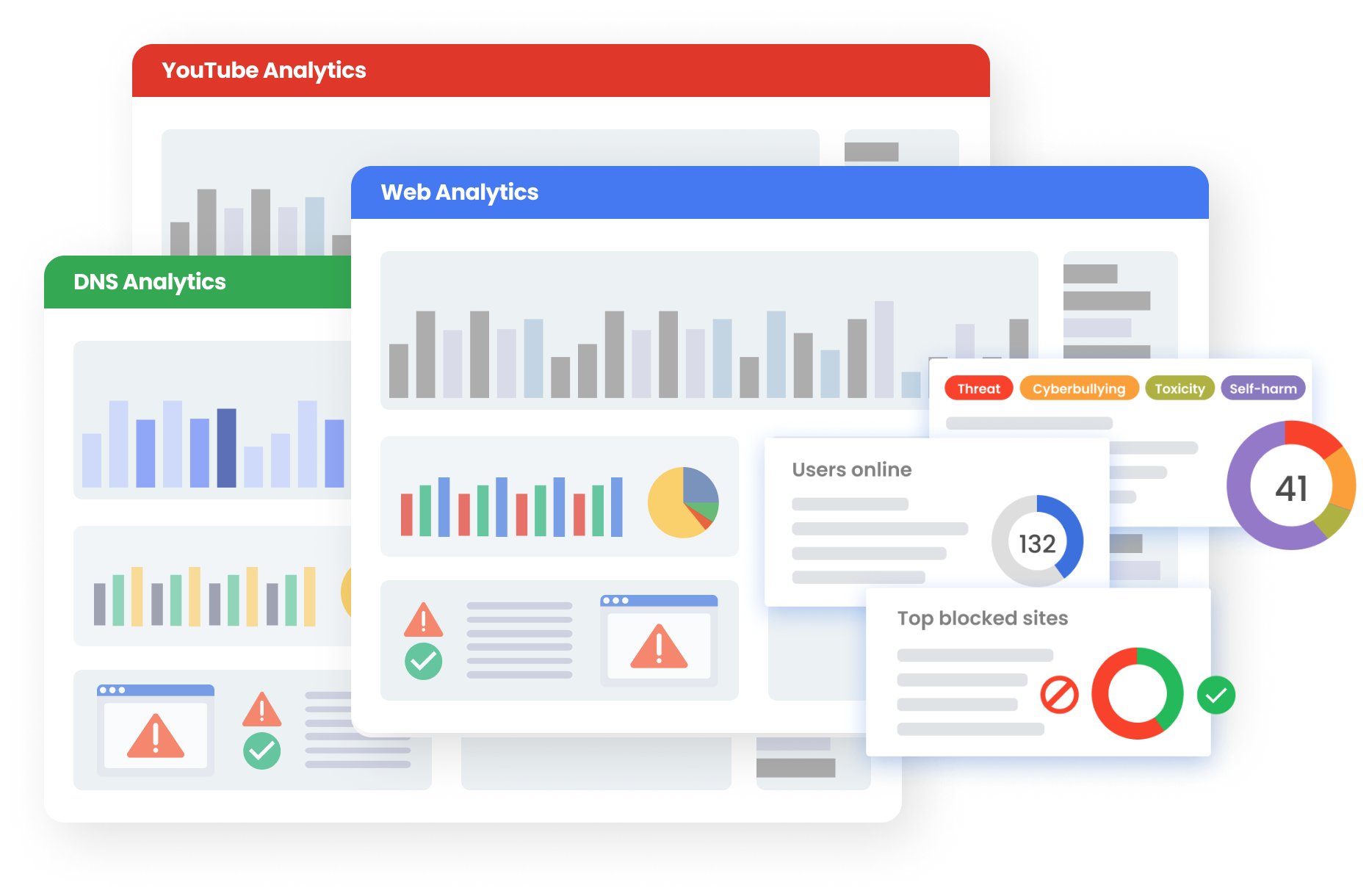
Powerful Analytics and Storage
Gain access to 90 days of hot searchable data for in-depth insights. Store up to 5 years of cold data for extended analysis and reporting.
Seamless Integration and Fast Deployment
Effortlessly set up the system using Google Admin Console and Azure Active Directory. Quickly implement the content filtering solution to start protecting your network promptly.
Unlimited Bandwidth and Device Compatibility
Enjoy unrestricted data processing capabilities for efficient content filtering. Support a range of devices, including Chromebooks, MacOS, Windows OS, and iOS.
Agent-Based Management and Multi-shared Cluster
Manage devices effectively with an agent-based level of streamlined control. Leverage a robust NoSQL database to enhance scalability and performance.
High Scalability and Granular Filtering
<span>Accommodate</span> expanded workloads and growing <span>network demands</span> effectively. <span>Apply precise filtering measures</span> against a massive database of websites.
Complete SSL/TLS Transparency and Visibility
Gain <span>full visibility into all network traffic</span>, including individual URLs. Monitor and <span>control encrypted connections</span> to ensure a safe online environment.
Powerful Analytics and Storage
Gain access to <span>90 days of hot</span> searchable data for in-depth insights. Store up to <span>5 years of cold</span> data for extended analysis and reporting.
Seamless Integration and Fast Deployment
Effortlessly set up the system using <span>Google Admin Console</span> and <span>Azure Active Directory</span>. Quickly implement the content filtering solution to start protecting your network promptly.
Unlimited Bandwidth and Device Compatibility
Enjoy <span>unrestricted data processing</span> capabilities for efficient content filtering. Support a range of devices, including <span>Chromebooks, MacOS, Windows OS</span>, and <span>iOS</span>.
Agent-Based Management and Multi-shared Cluster
Manage devices effectively with an <span>agent-based level</span> of streamlined control. Leverage a robust NoSQL database to <span>enhance scalability and performance.</span>
Anywhere in and out of school premises
AI Adaptive Content Filtering
AI-powered dynamic content filtering categorizes websites in real-time on the fly based on the content without needing a static database.
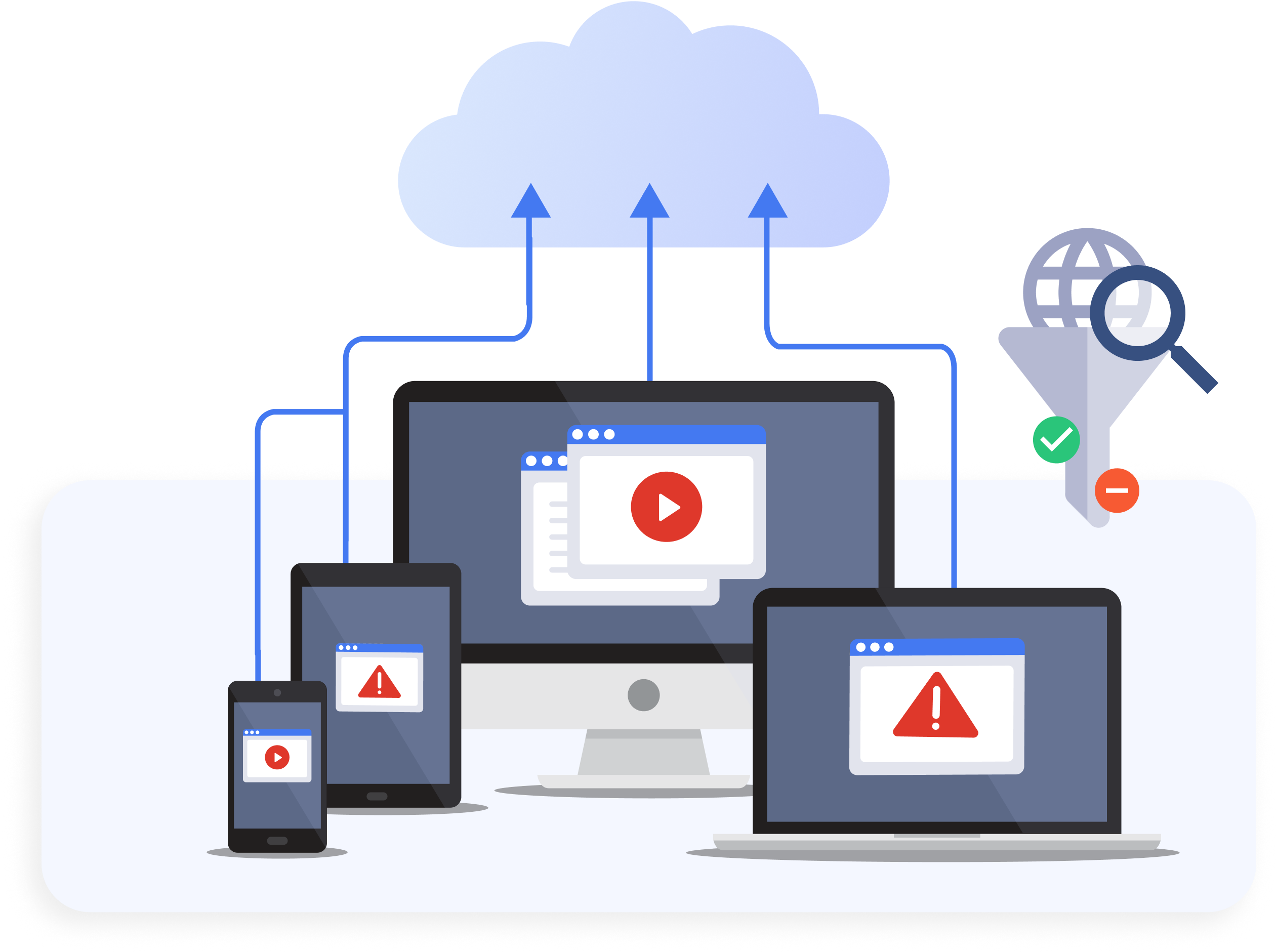
Multi-device Management and Platform Support for Mobile Devices
Enhance Online Safety With Advanced Web and YouTube Filtering Features
Granular Web and YouTube Filtering
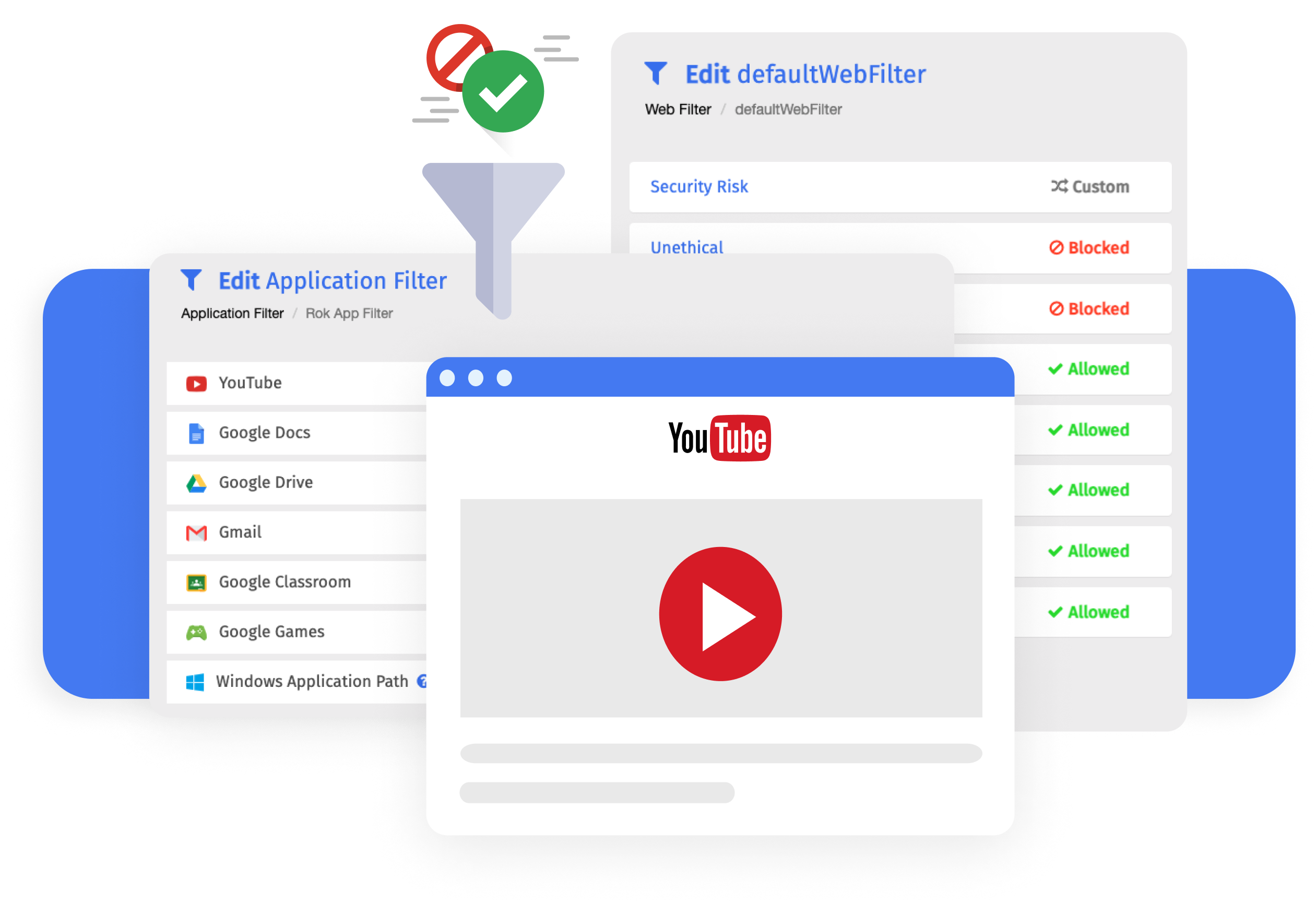
Apply and customize filtering policies according to your organization’s needs. Enable granular, detailed filtering inside and outside school premises using automated time-based, regular, and DNS policies.
More than 85 web categories to filter
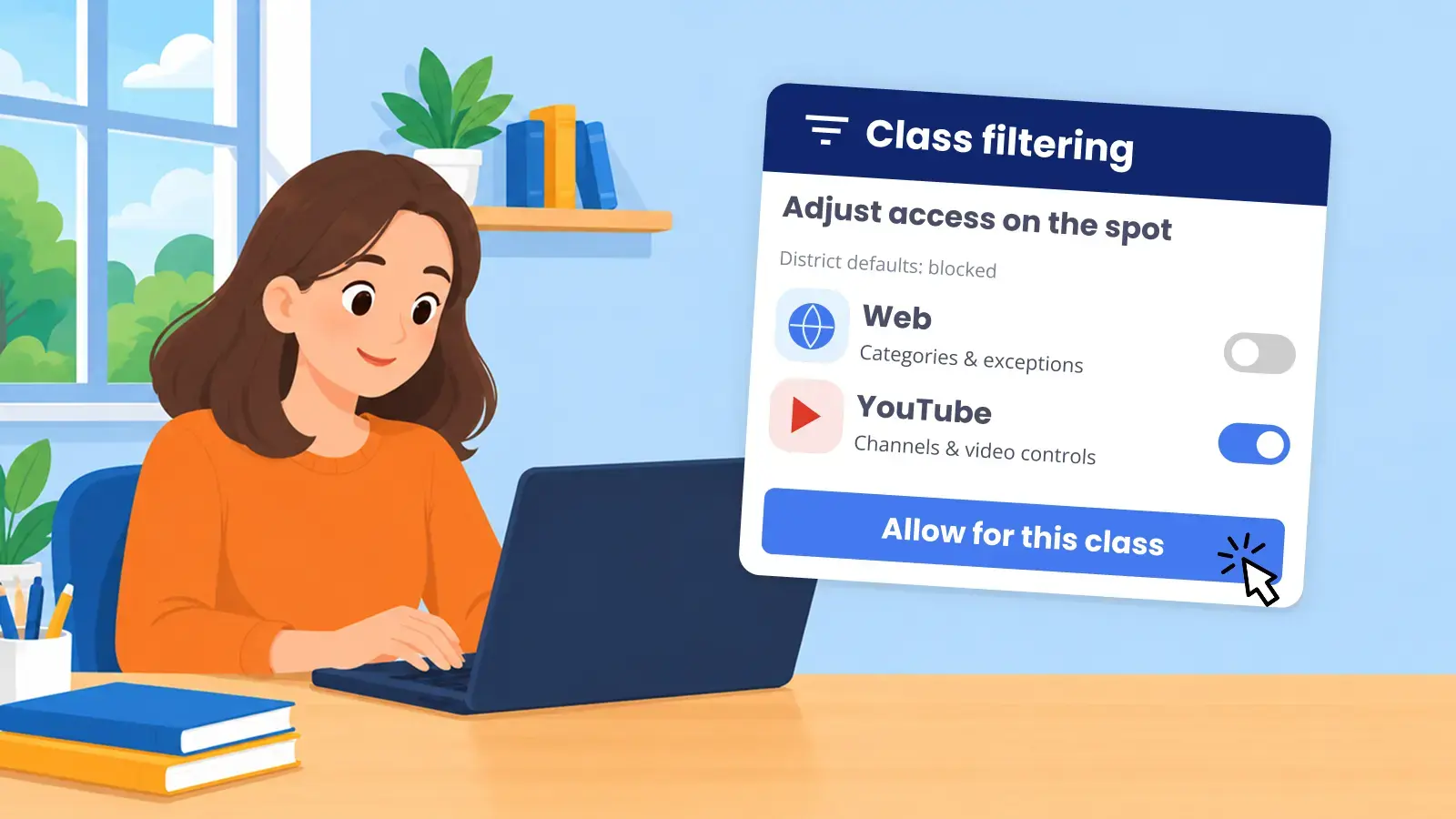
Filter access to Google Games and YouTube Shorts for focused learning
Comprehensive filtering across 30 YouTube categories
Eliminate comments and auto-play
Granular YouTube filtering by preferred restriction level
Make exceptions for specific channels and keywords
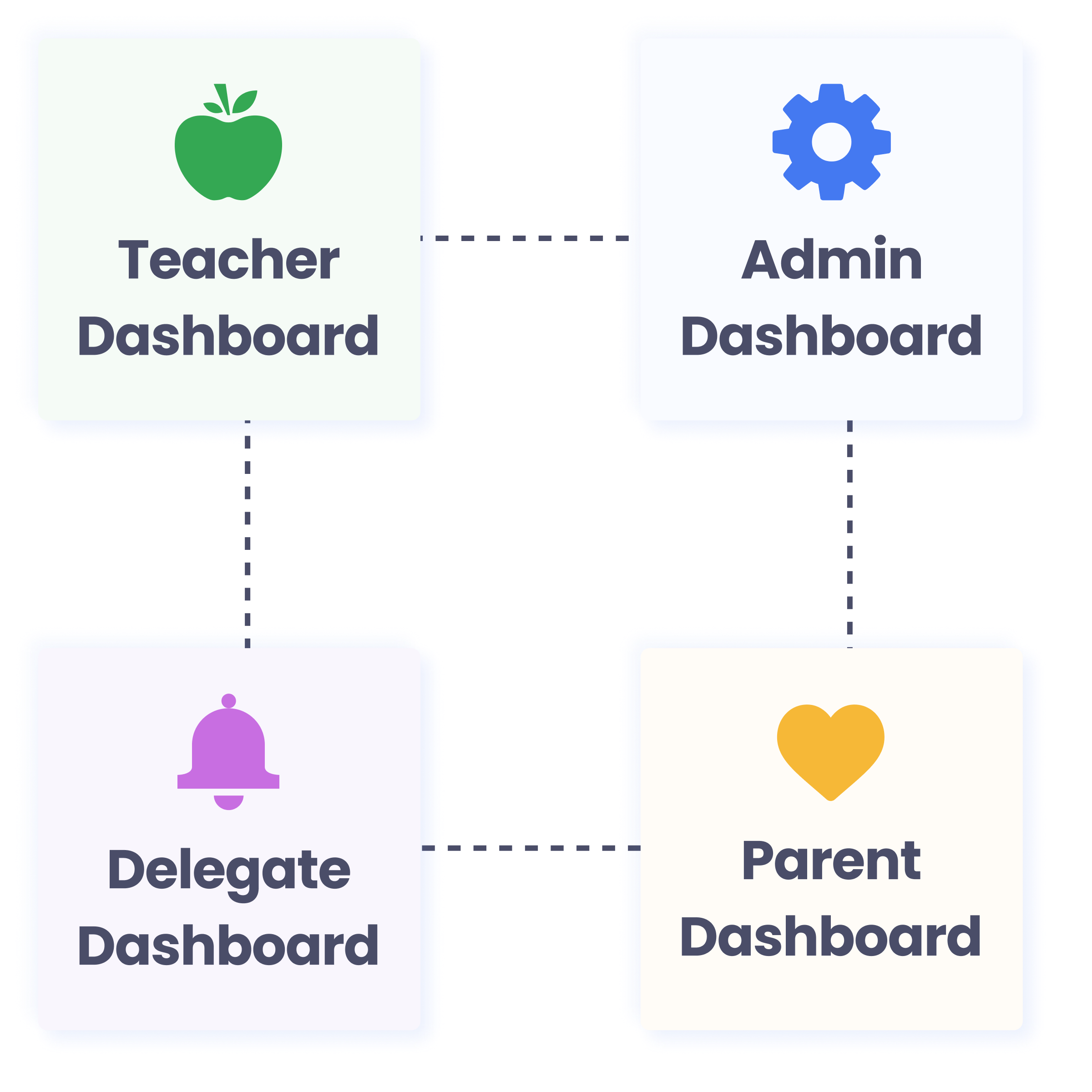
Allow Parents and Delegates to Ease the Load on Sys Admins
Simplify the tasks of System Administrators while promoting School Management and Stakeholder Collaboration. Allow Delegates and Parents to oversee online activities on and off the school campus through designated Delegates’ and Parents’ Dashboards.
Monitor student internet activity in and out of school
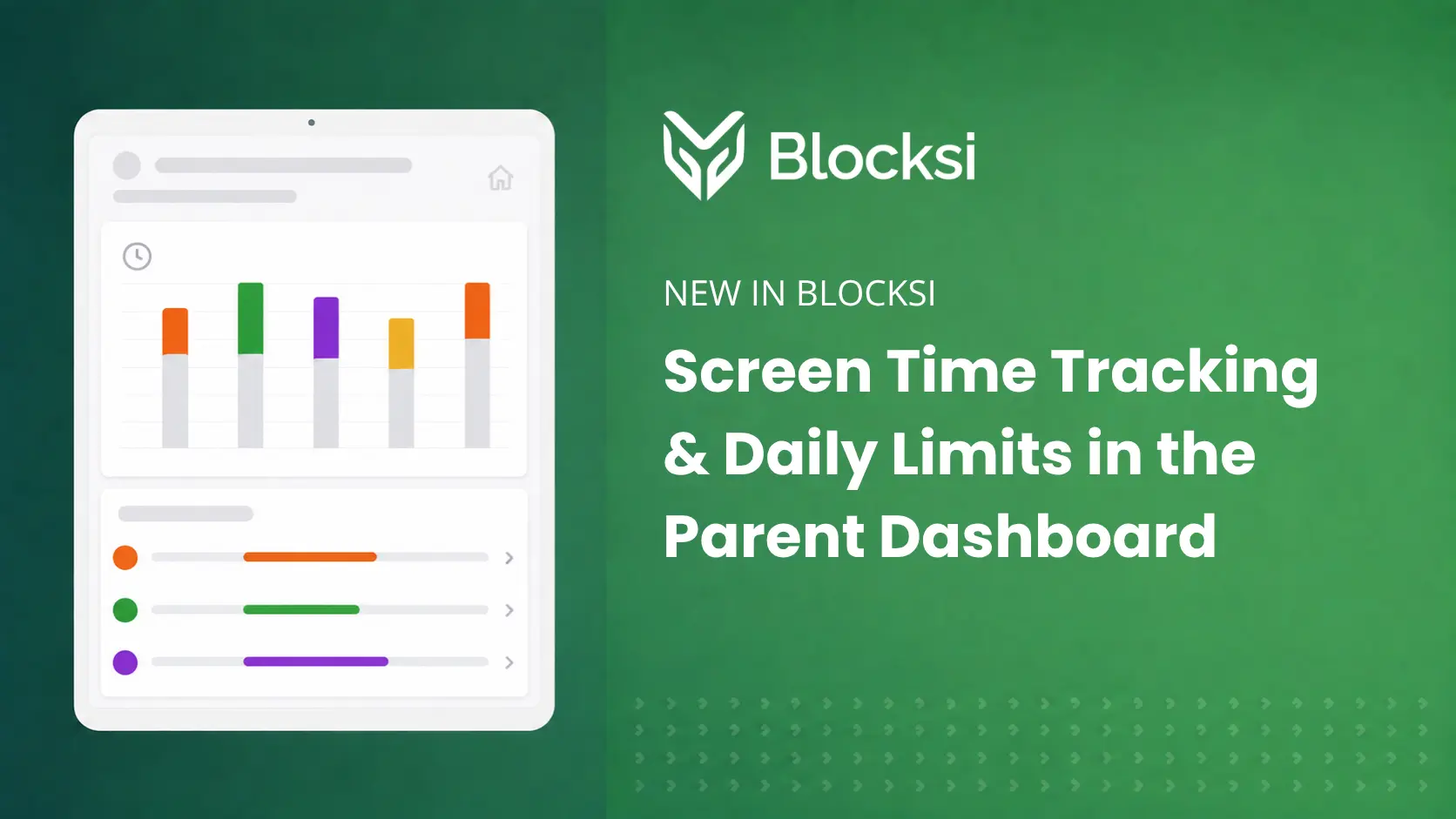
Enforce time-based access control for improved home screen time management
Make custom exceptions to filtering policies
Gain insight for proactive decisions with Areas of Concern
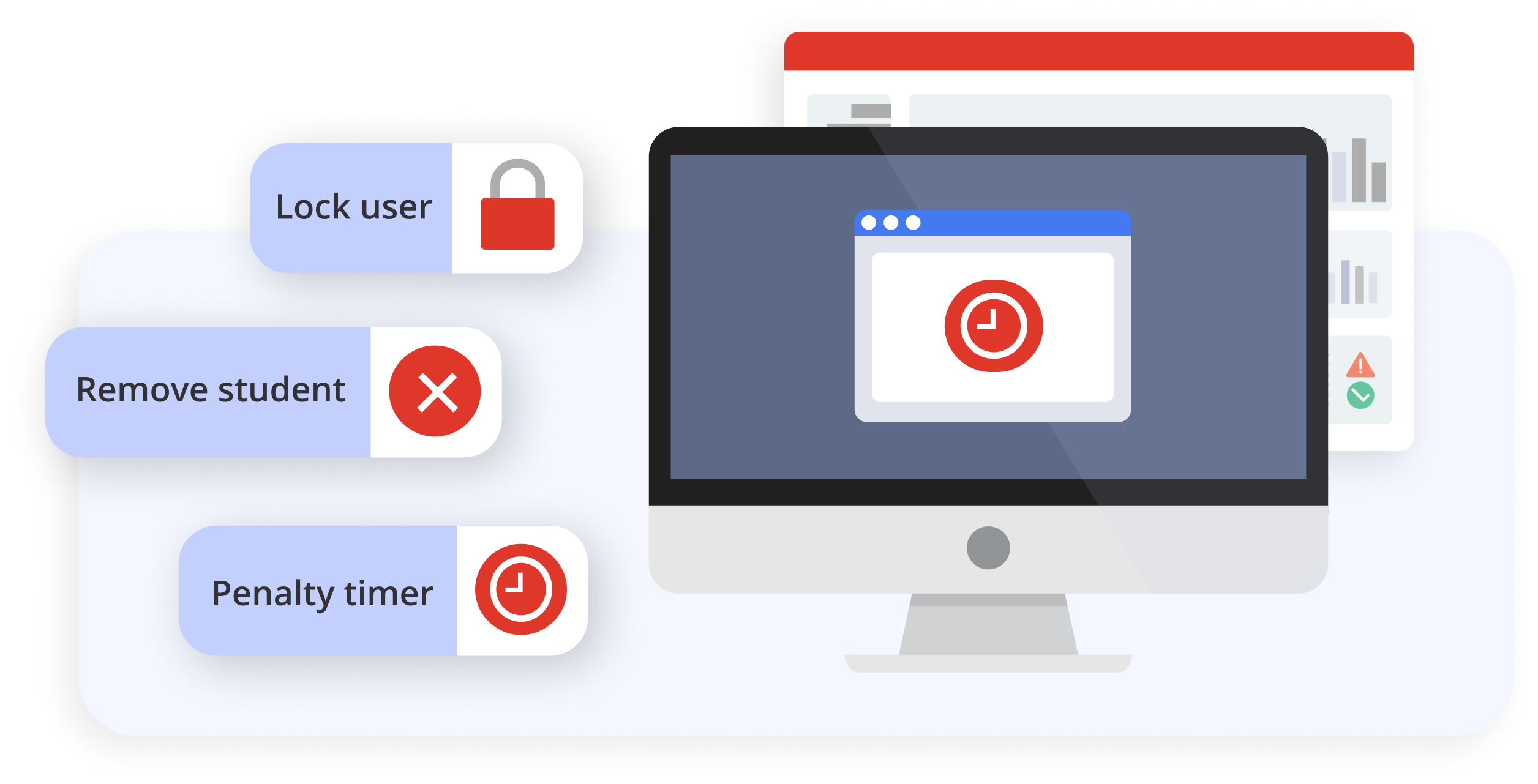
Enforce temporary limitations on students’ internet usage as a result of breaching content filtering guidelines or participating in unsuitable online behavior.
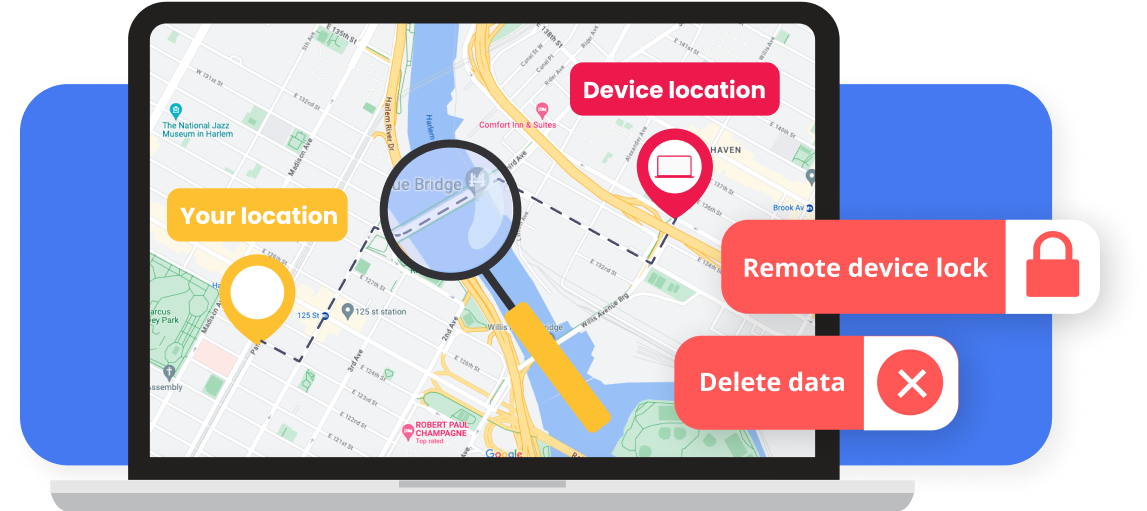
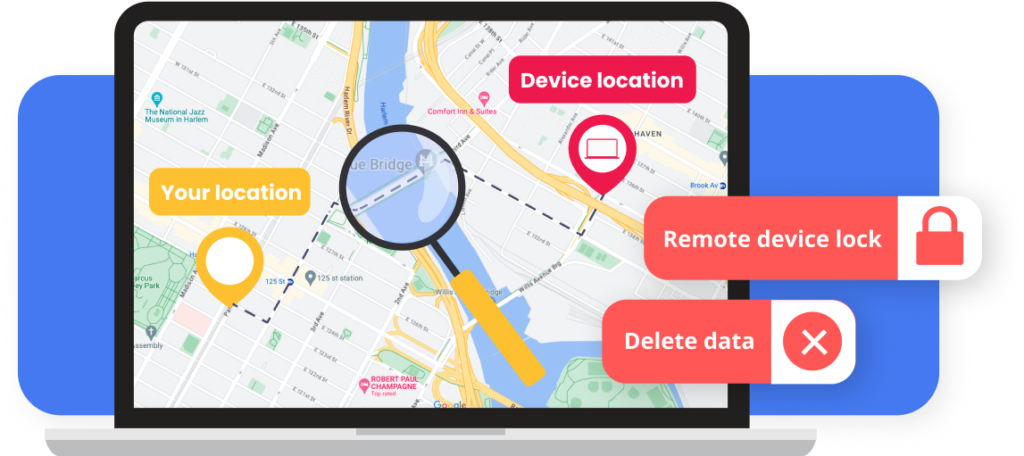
Device Anti-theft System for Missing or Stolen Devices
Secure devices by incorporating features like geolocation tracking, remote locking, and data wipe to prevent theft and protect valuable technology resources.
What is your capacity to handle high levels of traffic or user activity?
Blocksi operates as a non-proxy based solution, handling high-volume traffic without encountering issues. Its capabilities are highly scalable, with full SSL decryption and rapid deployment.
Do I need to install a piece of hardware to use the Blocksi solution?
Blocksi solutions are cloud-based and do not require additional hardware installation; instead, they need a quick and simple extension installation. In addition, Blocksi offers agents for each operational system: ChromeOS, MacOS, iOS, Windows OS, and Android.
Can you track school devices?
Yes. Blocksi’s content filtering is geolocalized, allowing schools to always track student devices by their IP address or location.
Which devices does Blocksi filter?
Blocksi is compatible with various devices such as Chromebooks, WindowsOS, iPad, MacOS, and Android, making it versatile for school use. It can filter devices designated as school devices based on custom policies and allows schools to apply filtering policies to student- and staff-owned devices. That covers everything from laptops and tablets to mobile phones.
Is Blocksi Manager Education Everywhere a proxy-based solution?
Blocksi Manager Education Everywhere is neither a DNS proxy nor a DNS forwarding solution on its own, as it filters content directly at the browser or device level. However, when using Blocksi DNS for filtering, it functions as a DNS proxy, acting as an intermediary for DNS requests. Rather than merely forwarding queries to an external resolver, Blocksi DNS intercepts, inspects, and enforces filtering policies before resolving the request. This enables precise content filtering and policy enforcement based on IP addresses for both school-managed devices and BYOD environments.
Can I automatically create tests and share them with students?
The Teacher Dashboard provides a tool that uses AI to help teachers generate formative quizzes. Teachers can customize the quizzes by selecting the topic, subject, language, and the number of questions they want. After the assessment, they can analyze the results, access past records, and gain valuable statistical insights, allowing them to make comparisons to evaluate overall student development.
Blocksi is great! We love that you allow custom policies for specific students and groups. Our admins also appreciate the penalty box feature.
Don Sutton, Director of Technology
Wilmington City Schools
Blocksi's ability to filter inappropriate content, monitor student activities, and manage access to various online resources aligns perfectly with our goal of creating a safe, controlled, and conducive digital learning environment.
Kristen Pate, Director of Technology
Morris Jeff Community School
I've been using Blocksi for about 3 years now, and it has been a game changer for our school. We love the analytics and the ability to easily block inappropriate content, making sure students only access safe online content. It empowers teachers to take control of their classrooms — managing what students need to see during class time and eliminating distractions. Thank you, Blocksi. You've changed our life and work.
Tara Poolson, Technology Integration Specialist
Pearl River County School District
We absolutely love Blocksi. On my end, running the filter is easy and intuitive — I don’t have to think much about it. I’m able to change everything I need to change instantly. It lets me drill down to individual students — all the things we really need. On the teacher side, they absolutely love it too — they love the AI Quiz Generator, and they love how easy it is for them to create their Block and Allow lists and all of that.
Chris Gutermuth, Instructional Tech Supervisor
Sycamore Community Schools
From the beginning, Blocksi has been a vital tool for content filtering and classroom monitoring. We love seeing how Blocksi continues to improve against student workarounds.
Director of Educational Technology Services
international school in Taiwan — via G2
Blocksi has become an essential tool for our teachers to monitor student activity on 1:1 Chromebooks. The AI-driven student safety features are highly effective, consistently helping us flag potential student harm indicators early. From an admin perspective, deployment is incredibly intuitive, and the Admin Dashboard is clean and easy to navigate when adjusting granular settings. Roster integration with Google Workspace is seamless.
Shane Presley, Technology Director
Chickasaw County School District — via G2
Blocksi's customer service has been amazing — always ready to help no matter what. Blocksi is much better at finding and blocking new sites than our old solution.
Edward Watts, IT Manager/DDSL
St Michael's School — via G2
Five years in, Blocksi remains the best Chromebook filtering solution we've found. What we like best is the Google Workspace integration, YouTube filtering, and automated safeguarding alerts. Deployed via Google Admin Console as a force-installed extension — students can't remove it from the device or their account — so filtering is always enforced without relying on students leaving it in place. Blocksi keeps students safe online across a 1:1 Chromebook deployment, with safeguarding visibility that meets our statutory obligations.
Thomas Wimbish, Director of Technology
Teays Valley Local School District — via G2
For us, the cost-to-feature ratio strikes a perfect balance. Blocksi addresses the need for student internet filtering on Chromebooks, while giving teachers insights into browsing history and the ability to monitor and manage student devices during class.
Technology Coordinator
Mississippi school district — via G2
Blocksi blocks inappropriate sites and keeps web use safe for our students. The problem we had was that students would visit inappropriate websites, and Blocksi solves this by blocking them. At one point a student searched for information about suicide. Blocksi caught this and informed administration, and we were able to reach out to the parents.
Bob Krieger, Director of Technology
Christ Episcopal School — via G2
Blocksi's Chromebook integration is awesome — it makes deploying to our Chrome fleet straightforward. We've had issues with content filtering and student safety monitoring, and Blocksi handles both very well.
Nehemiah Smith, Information Technology Technician
Tehachapi Unified School District
Blocksi is great! We love that you allow custom policies for specific students and groups. Our admins also appreciate the penalty box feature.
Don Sutton, Director of Technology
Wilmington City Schools
Blocksi's ability to filter inappropriate content, monitor student activities, and manage access to various online resources aligns perfectly with our goal of creating a safe, controlled, and conducive digital learning environment.
Kristen Pate, Director of Technology
Morris Jeff Community School
I've been using Blocksi for about 3 years now, and it has been a game changer for our school. We love the analytics and the ability to easily block inappropriate content, making sure students only access safe online content. It empowers teachers to take control of their classrooms — managing what students need to see during class time and eliminating distractions. Thank you, Blocksi. You've changed our life and work.
Tara Poolson, Technology Integration Specialist
Pearl River County School District
We absolutely love Blocksi. On my end, running the filter is easy and intuitive — I don’t have to think much about it. I’m able to change everything I need to change instantly. It lets me drill down to individual students — all the things we really need. On the teacher side, they absolutely love it too — they love the AI Quiz Generator, and they love how easy it is for them to create their Block and Allow lists and all of that.
Chris Gutermuth, Instructional Tech Supervisor
Sycamore Community Schools
From the beginning, Blocksi has been a vital tool for content filtering and classroom monitoring. We love seeing how Blocksi continues to improve against student workarounds.
Director of Educational Technology Services
international school in Taiwan — via G2
Blocksi has become an essential tool for our teachers to monitor student activity on 1:1 Chromebooks. The AI-driven student safety features are highly effective, consistently helping us flag potential student harm indicators early. From an admin perspective, deployment is incredibly intuitive, and the Admin Dashboard is clean and easy to navigate when adjusting granular settings. Roster integration with Google Workspace is seamless.
Shane Presley, Technology Director
Chickasaw County School District — via G2
Blocksi's customer service has been amazing — always ready to help no matter what. Blocksi is much better at finding and blocking new sites than our old solution.
Edward Watts, IT Manager/DDSL
St Michael's School — via G2
Five years in, Blocksi remains the best Chromebook filtering solution we've found. What we like best is the Google Workspace integration, YouTube filtering, and automated safeguarding alerts. Deployed via Google Admin Console as a force-installed extension — students can't remove it from the device or their account — so filtering is always enforced without relying on students leaving it in place. Blocksi keeps students safe online across a 1:1 Chromebook deployment, with safeguarding visibility that meets our statutory obligations.
Thomas Wimbish, Director of Technology
Teays Valley Local School District — via G2
For us, the cost-to-feature ratio strikes a perfect balance. Blocksi addresses the need for student internet filtering on Chromebooks, while giving teachers insights into browsing history and the ability to monitor and manage student devices during class.
Technology Coordinator
Mississippi school district — via G2
Blocksi blocks inappropriate sites and keeps web use safe for our students. The problem we had was that students would visit inappropriate websites, and Blocksi solves this by blocking them. At one point a student searched for information about suicide. Blocksi caught this and informed administration, and we were able to reach out to the parents.
Bob Krieger, Director of Technology
Christ Episcopal School — via G2
Blocksi's Chromebook integration is awesome — it makes deploying to our Chrome fleet straightforward. We've had issues with content filtering and student safety monitoring, and Blocksi handles both very well.
About Us
Blocksi is devoted to establishing a secure environment for K-12 students by proactively shielding them from harmful content, regardless of whether they are inside or outside school districts.